
11 vs 13 inch iPad comparison—find out which size suits studying, multitasking and creative activities. Learn why I love my 11-inch but dream of a 13-inch.
Choosing between the 11-inch and 13-inch iPad (sometimes called 12.9-inch iPad) can be tricky. Let’s walk through the key differences so you can decide with confidence.
CONTENTS:
11 vs 13 inch iPad – size matters?
When comparing 11 vs 13 inch iPad, think about how you use it. The 11-inch feels compact, light, and perfect for daily carry. The 13-inch gives you a big canvas—ideal for multitasking, note-taking, watching videos, and work. The 13-inch iPad often refers to Apple’s 12.9-inch model.

Why screen size and weight count?
A compact iPad reduces strain when you’re holding it for long periods. My 11-inch iPad Pro is easy to balance in one hand. But when I’m working on multiple apps—like YouTube on the side and GoodNotes notes open on the main screen—the extra space of the 13-inch model would make everything feel more spacious and usable.
iPad 11 vs 13 inch comparison: performance & multitasking
Beyond size, both offer similar performance: M-series chips, high refresh rates, great cameras. The big win for the 13-inch is the enhanced display—not just bigger, but mini-LED on newer models, offering deeper blacks and more brightness.
Multitasking shines on the larger screen. You can split three or even four apps side by side. On the 11-inch, you’re limited but still have solid split-screen and slide-over options.

Is the 11 or 13-inch iPad better for studying?
For students, portability often comes first. The 11-inch fits easily into bags and is light enough for long note-taking sessions during class. I’ve had mine in lectures, taken handwritten notes, and watched recorded lessons—all with no extra strain.
But for those who annotate PDFs or compare documents side by side, the 13-inch iPad is worth considering. You get much more screen real estate for reading, highlighting, and keeping materials visible at once.
Read More:
Which iPad size is best for students?
Here’s a quick breakdown:
| Feature | 11-inch iPad Pro | 13-inch iPad Pro (12.9″) |
|---|---|---|
| Portability | Lightweight and easy to carry | Heavy but office-like productivity |
| Screen space | Good for single tasks | Excellent for split-screen and apps |
| Price | Lower (more budget-friendly) | Higher investment — but more features |
| Battery life | Slightly shorter usage time | More capacity, lasts longer |
My experience: why I chose the 11-inch
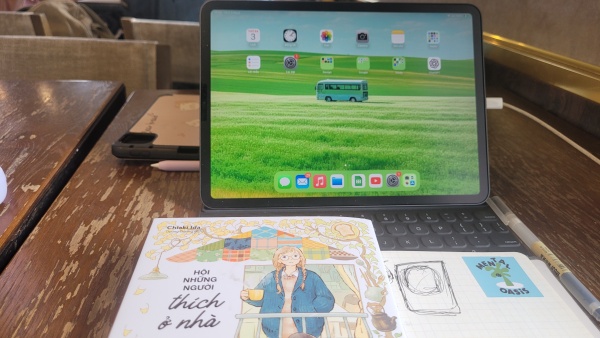
I currently use the iPad Pro 11-inch and love it. It’s lightweight, fast, and perfect for daily use, journaling, and drawing in class. When I multitask—like watching YouTube and taking notes in GoodNotes—it handles it well. Still, sometimes I find myself pinch-zooming or switching apps just to make room. If I had the budget, I’d upgrade to the 13-inch for that larger workspace without sacrificing speed or portability.
Other factors to consider
-
Accessories: The Magic Keyboard and Apple Pencil works great with both sizes, but the 13-inch is noticeably larger when typing.
-
Storage: For both, get enough space if you work with PDFs, videos, or large note libraries.
-
Budget: The price difference is more than screen—you’re also paying for the display tech and weight.
Q&A About Choosing Between 11 and 13-inch iPad
Q: Is the 13-inch iPad worth it for students?
A: If you often use split-screen to read and write at the same time, yes. It’s more expensive, but the large screen helps reduce flipping between apps.
Q: Will the 11-inch outlive the 13-inch in terms of performance?
A: Both share the same chip generation, so performance is nearly identical. You’ll notice differences more in battery and user experience than speed.
Q: Can I do serious multitasking on the 11-inch?
A: Definitely. It supports split-screen and slide-over. You just have less room for multiple apps than on the 13-inch.
Q: Is the 12.9-inch mini-LED a game changer?
A: For creatives and movie watchers—yes. The contrast and brightness are noticeably better. But if you’re mainly note-taking or browsing, the 11-inch LCD is still excellent.

Final Verdict
-
Choose the 11-inch iPad if you want portability, affordability, and powerful performance for everyday use.
-
Go for the 13-inch (12.9″) iPad if you value workspace, multitasking, and top-tier screen quality—and you don’t mind paying more or dealing with extra weight.
Personally, I’m happy with my 11-inch iPad Pro for now. But my heart—and budget—might push me toward the 13-inch iPad next time, thanks to its screen flexibility when juggling notes and video.
Let me know if you’d like a deep dive on accessories, or more comparison of keyboard and pen experiences on either size!