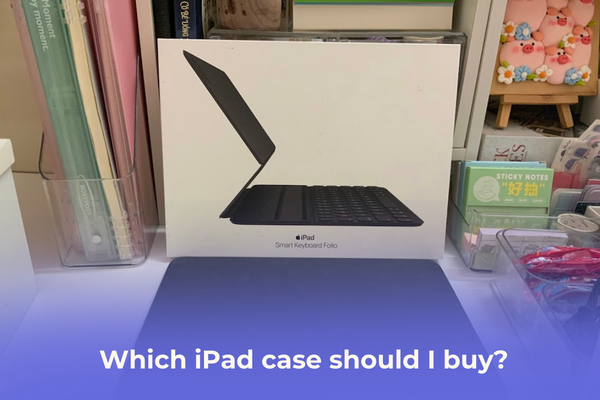

Which iPad case should I buy? This sounds like a simple question until you actually start browsing the endless options on Amazon or Etsy. Trust me, it’s not as straightforward as it seems.
Compared to choosing an iPhone case, finding the perfect iPad “armor” is much more complex. Not only do you have to worry about protecting that large, beautiful screen, but you also have to consider the risk of the iPad bending and the specific way you use your tablet, whether for drawing, typing, or just binging Netflix.
After testing various styles, from budget-friendly “cute” cases to Apple’s premium keyboard folios, I’ve gathered some insights. Here is my honest review of the most popular iPad case types to help you find your “soulmate” accessory.
CONTENTS:
Which iPad case should I buy? Review from personal experience
Here are the most popular case options and a quick look at their strengths and weaknesses:
1. The silicone soft case
This is the most basic case that almost every iPad owner has bought at least once. It’s affordable and gets the job done without breaking the bank.
-
The Pros: It’s highly flexible, easy to snap on, and provides a comfortable, non-slip grip. It protects the edges from scratches and offers decent shock absorption for minor bumps. Plus, for those who love customizing, the smooth back is perfect for sticking on your favorite stickers or decals.
-
The Cons: If you go for the clear version, it will eventually turn yellow. It also tends to attract dust. Most importantly, it doesn’t offer much structural rigidity. If you’re a bit clumsy or worried about your iPad bending in a cramped backpack, a simple silicone case might not be enough.

2. The pencil holder case
This is currently what I’m using. My version is a mix of silicone and leather, but you can also find silicone-acrylic hybrids.
-
Real-world Experience: Honestly, I bought this one because the design was too cute to resist. But beyond aesthetics, the Auto Wake/Sleep feature is incredibly responsive. It’s a game-changer for battery life and convenience, just open the cover, and you’re ready to work.
-
A Small Note on the Pencil Slot: While having a dedicated slot is great, it can be a bit tight if you use a “sleeve” or skin for your Apple Pencil (like I do). Also, because of the mixed materials, this case feels quite substantial in the hand, meaning it can get a bit heavy during long reading sessions.

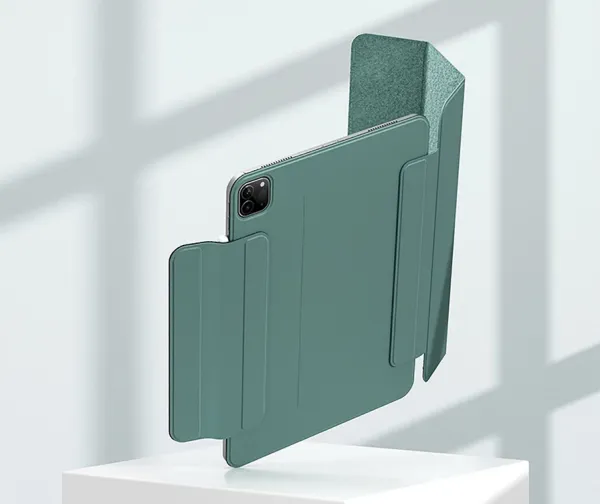
3. The magnetic folio
If you love a slim, “barely-there” feel, this is often cited as the gold standard by the iPad community.
-
The Pros: These cases are the definition of “sleek.” They attach via strong magnets to the back of the iPad, keeping the profile incredibly thin. They don’t trap heat, and cleaning them is a breeze. They also provide better structural support than silicone cases, helping to keep your iPad straight and safe.
-
The Cons: They are generally more expensive. For someone who loves vibrant colors and cute patterns like me, the designs can feel a bit too “minimalist” or plain. It’s a trade-off between style and sophistication.
4. The smart keyboard folio
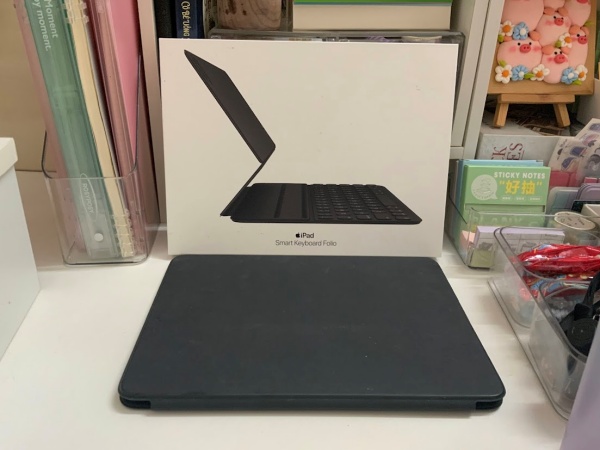
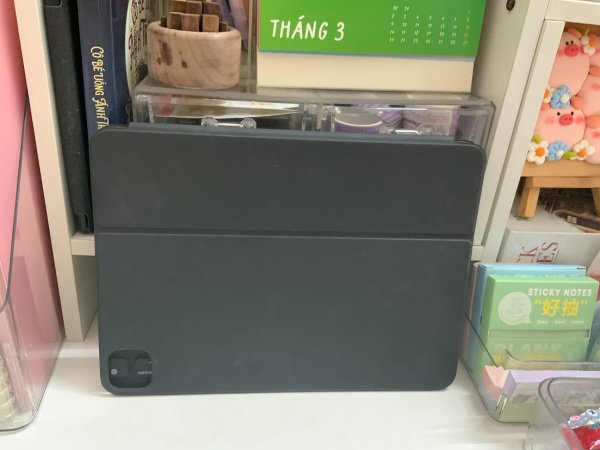
I was lucky enough to be gifted an original Apple Smart Keyboard Folio. Before using it, I read many reviews claiming it wasn’t worth the high price tag due to the shallow key travel.
However, after using it daily, I’ve fallen in love. It transforms the iPad into a legitimate productivity tool. The keys are responsive, it doesn’t require a separate battery, and there’s no annoying Bluetooth pairing. For a Copywriter or Content Creator who needs to type on the go, this is a solid investment that pays off in efficiency.
Read more: Should I buy a keyboard case or a separate keyboard for iPad? A hands-on review
5. The 360-degree rotating case
-
The Highlights: The standout feature here is the rotating hinge. It allows you to prop the iPad up in Portrait mode (perfect for reading long articles or coding) or Landscape mode (ideal for movies).
-
The Drawbacks: These tend to be the bulkiest cases on the market. The rotating mechanism adds a lot of thickness, making the iPad feel more like a thick notebook than a slim tablet.

FAQ: Common questions about iPad cases
Q: Do I really need a case if I only use my iPad at home?
A: Yes! Even at home, an iPad is prone to scratches from coffee tables or accidental spills. More importantly, a case acts as a stand, which is essential for ergonomic viewing.
Q: Will a third-party case damage my iPad?
A: Generally, no. Brands like Goojodoq or Logitech offer high-quality alternatives that are safe and stylish. Just ensure the cutouts for the speakers and charging port are precise.
Q: How do I prevent my iPad from bending?
A: Look for cases with a “hard back” (like acrylic or reinforced folio styles). Avoid very thin, flimsy silicone cases if you frequently carry your iPad in a tightly packed bag.
Verdict: Which one is right for you?
After reviewing these popular options, here is my summary:
-
For Style & Value: Go for a silicone or hybrid pencil holder case. They are cute, functional, and budget-friendly.
-
For the Minimalist: The magnetic folio is your best bet for a premium, lightweight experience.
-
For the Workaholic: Don’t hesitate to invest in a keyboard folio. While Apple’s version is great, there are many affordable third-party keyboard cases that offer fantastic value.
-
For the Content Consumer: If you spend your time switching between reading and watching videos, the 360-degree rotating case is a versatile choice.
I hope my personal experiences help you find the perfect “armor” for your iPad. Your tablet deserves to look good and stay safe!
What about you? Which case are you currently using? Let me know in the comments below!
May you like this: