

Discover top must-have iPad apps for university students to take better notes, organize lectures, and study smarter.
When I first walked into a lecture hall with an iPad and an Apple Pencil, I honestly thought the tablet itself would magically fix my study habits. It took me a few chaotic weeks of lost files and messy scribble to realize the truth: an iPad is only as powerful as the app ecosystem you build on it.
Whether you are starting your freshman year or trying to streamline a heavy course load in graduate school, having the right digital setup completely transforms how you learn. After testing dozens of tools and gathering real-world workflows from thousands of students, I have curated the ultimate list of essential iPad apps that deliver practical, everyday results—not just visual hype.
CONTENTS:
Some must-have iPad apps for university that you should know
Here are some iPad apps that help make your university life easier:
1. Goodnotes 6 or Notability: The handwriting heavyweights
If your goal is to replace heavy paper notebooks with a single sleek tablet, a handwritten note-taking app is non-negotiable.
-
Goodnotes 6: Perfect for structured, notebook-style thinkers. Goodnotes organizes your work into visual folders and digital notebooks with customizable covers. Its handwriting recognition and Search OCR (Optical Character Recognition) mean you can type any word into the search bar, and it will find it inside your handwritten notes.
-
Notability: The go-to choice for lecture-heavy classes. Its killer feature is audio sync. When you record a lecture while writing down key points, tapping any handwritten word during review plays back the exact audio recorded at the moment you wrote it.
2. Notion: Your complete life and class dashboard
While handwritten apps excel during lectures, you still need a central system to manage assignment deadlines, syllabus details, reading lists, and group projects. That is where Notion shines as a digital “second brain”.
With Notion on iPad, you can set up a unified master database for your semester:
-
Create linked databases for course schedules and track assignment progress (e.g., To Do, In Progress, Submitted).
-
Embed lecture slides, web clips, and research links directly into dedicated class pages.
-
Seamlessly sync your setup across your iPad, phone, and laptop so your schedule is always at your fingertips.

3. Anki and RemNote: Active recall and spaced repetition
Cramming hours before an exam rarely works long-term. To actually retain massive amounts of information, especially in fields like medicine, biology, law, or languages, you need active recall and spaced repetition.
-
Anki: The gold standard for flashcards. Anki uses a proven spaced repetition algorithm that schedules flashcards right before your brain is about to forget them. The iPad app lets you draw directly on cards, block out key labels on anatomy diagrams using image occlusion, and review cards anywhere on campus.
-
RemNote: An all-in-one alternative that turns your typed notes directly into flashcards automatically as you type, saving you hours of flashcard creation time.
Discover More:
- Split Screen Study Method for College Students: Boost Productivity
- How to study for exams using only an iPad without losing your focus
4. LiquidText and PDF Expert: Conquering heavy research papers
If your university courses require reading long journal articles, 100-page case studies, or dense PDFs, reading them on a standard document viewer will quickly burn you out.
-
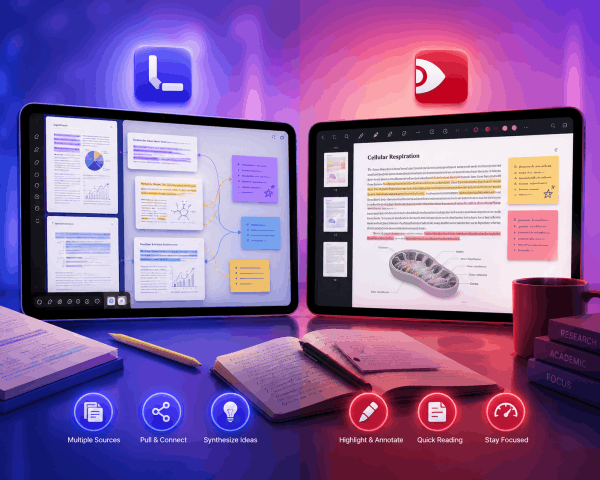
LiquidText: Designed specifically for multi-document research. It lets you pull excerpts, diagrams, and quotes out of multiple PDFs onto an infinite side canvas. You can draw visual connections between different articles, allowing you to synthesize sources for research papers effortlessly.
-
PDF Expert: Ideal for quick reading, highlighting, and annotating single textbook chapters or assignment sheets without lagging.
5. Forest and Structured: Mastering focus and time planning
An iPad filled with apps can easily turn into a distraction machine if you aren’t careful. Keeping your time organized keeps stress away.
-
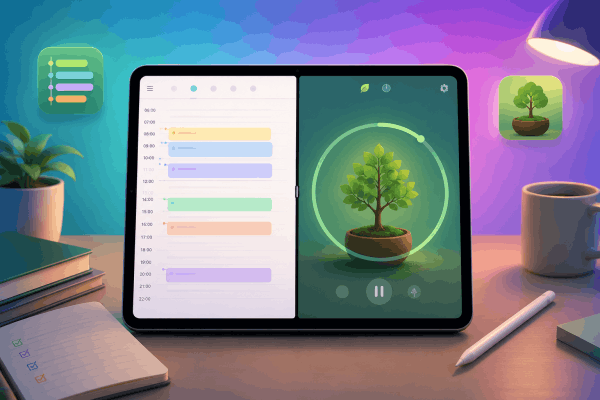
Structured: A visual day planner that converts your daily to-do list into an easy-to-read timeline, showing you exactly what to work on hour by hour.
-
Forest: Uses the Pomodoro technique (25 minutes of work, 5 minutes of rest) to keep you off social media. When you start a focus session, a virtual tree begins to grow. If you leave the app to check messages, your tree dies. It sounds simple, but the gentle gamification is surprisingly effective.
App comparison at a glance
| App Name | Primary Purpose | Best Suitable For | Price Model |
| Goodnotes 6 | Digital handwriting & PDF markup | STEM, visual note-takers, diagramming | Free tier / Paid upgrade |
| Notability | Audio-synced lecture notes | Heavy lectures, humanities, discussion classes | Subscription |
| Notion | Semester planning & master database | All students, group projects, class hubs | Free for education |
| Anki Mobile | Spaced repetition flashcards | Pre-med, language learning, law, heavy memorization | One-time purchase |
| LiquidText | PDF research & visual synthesis | Thesis writing, literature reviews, legal research | Free basic / One-time or Subscription |
| Forest | Focus timer & distraction blocking | Students struggling with phone distraction | One-time purchase |
Practical iPad workflows to get the most out of these apps
Having the apps downloaded is only step one. Here are three practical iPad multitasking tricks that will instantly level up your daily routine:
-
Master Split View and Slide Over: Never keep just one app full-screen during study hours. Open your digital textbook or lecture PDF on the left half of the screen and Goodnotes or Notion on the right half. Drag and drop images or excerpts directly across screens without saving files first.
-
Use Scribble and Quick Notes: Swipe up from the bottom-right corner of your iPad screen with your Apple Pencil at any time to open a Quick Note. Jot down quick reminders or professor announcements without switching away from what you are doing.
-
Scan paper handouts instantly: Don’t let paper syllabus sheets or printed assignments clutter your desk. Use the built-in document scanner in Apple Notes or Goodnotes to digitize paper in seconds, making it searchable immediately.

Frequently asked questions about must-have iPad apps for university
Do I need to buy expensive paid apps for university?
Not at all. You can build a world-class study setup entirely for free. Apple Notes, Apple Freeform, Microsoft OneNote (which most universities provide for free), and the free tier of Notion offer incredible utility without costing a dime. Upgrading to paid options is only necessary when you need specific advanced features like audio-syncing or specialized PDF synthesis.
How much storage space do I need on my iPad for university notes?
For standard note-taking, slides, and annotated PDFs, 64 GB to 128 GB is more than enough, provided you leverage cloud synchronization like iCloud, Google Drive, or OneDrive. However, if you plan on recording hours of lecture audio or storing heavy video files, aim for 256 GB.
Is taking handwritten digital notes better than typing on a keyboard?
Research consistently shows that writing notes by hand forces your brain to summarize and process information in real time rather than typing lectures word-for-word. Using an Apple Pencil on an iPad gives you the cognitive retention benefits of handwriting combined with the searchability and backup safety of digital storage.

Final thoughts
At the end of the day, an iPad isn’t a magic wand that guarantees straight A’s, it is an engine. The right combination of apps turns that engine into a streamlined study workflow that saves you time, cuts down on physical clutter, and keeps your stress in check.
My advice? Don’t download twenty different apps on day one. Start simple: pick one solid note-taking app like Goodnotes or Apple Notes, set up a basic course hub in Notion, and add focus tools as your workload demands. Once your workflow feels effortless, you’ll wonder how you ever survived university without it!


