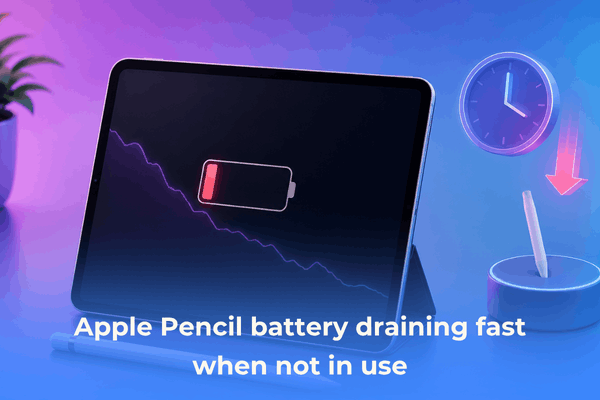

Is your Apple Pencil battery draining very fast when not in use? Learn practical fixes to stop power loss and extend your Pencil’s life.
If you have ever picked up your Apple Pencil after leaving it sitting on your desk for a day or two, only to find the battery completely dead, you are definitely not alone. It is one of the most common frustrations iPad users face, especially since the Apple Pencil does not have an official power button to turn it off manually.
So why does your Apple Pencil battery drain very fast when not in use, and what can you actually do to stop it?
Instead of basic textbook advice, we pulled together practical, real-world solutions that real iPad power users rely on daily to keep their stylus ready whenever inspiration strikes.
CONTENTS:
- Understanding why your Apple Pencil drains battery on standby
- 7 practical fixes for Apple Pencil battery draining fast when not in use
- 1. Toggle Bluetooth off when not using your iPad
- 2. Unpair the Pencil for longer storage
- 3. Store your Pencil away from motion and vibrations
- 4. Re-seat the magnetic connection (Apple Pencil 2 & Pro)
- 5. Keep your iPadOS updated and reboot both devices
- 6. Charge it to at least 50% before setting it aside
- 7. Clean the charging port or magnetic contacts
- Frequently asked questions (FAQs)
- Final thoughts
Understanding why your Apple Pencil drains battery on standby
Before diving into the fixes, it helps to understand how the Apple Pencil handles power.
Unlike a wireless mouse that goes into a deep sleep mode when idle, the Apple Pencil stays in a light standby state. It relies on internal accelerometers to detect motion. The moment you move your desk, pick up your iPad sleeve, or jostle your backpack, your Pencil wakes up and starts looking for a Bluetooth connection.
Here are the main reasons behind the mysterious idle battery drain:
-
Constant movement detection: Small vibrations trigger the Pencil’s internal sensors, keeping it awake.
-
Bluetooth pinging: The Pencil constantly tries to maintain or re-establish a link with your iPad.
-
Proximity magnetic charging issues (Apple Pencil 2 & Pro): If the Pencil is slightly misaligned on the magnetic strip, it can trigger a continuous charge-discharge loop that drains both devices.
-
Battery degradation: Lithium-ion batteries in Apple Pencils are small (around 80-85 mAh). Over time, their capacity drops naturally, making idle drain much more noticeable.

7 practical fixes for Apple Pencil battery draining fast when not in use
Here are seven tried-and-tested solutions to preserve your Pencil’s power when you aren’t drawing, taking notes, or writing.
1. Toggle Bluetooth off when not using your iPad
The fastest way to break the active connection between your iPad and Apple Pencil is to turn off Bluetooth. When your iPad’s Bluetooth is turned off, the Pencil stops trying to communicate and enters a deeper power-saving state.
If you frequently leave your iPad idle for long periods (like overnight), making a habit of toggling Bluetooth off can instantly cut down idle drain.
2. Unpair the Pencil for longer storage
If you know you won’t be using your Apple Pencil for a few days, completely unpairing it is a great habit.
-
Go to Settings > Bluetooth.
-
Tap the “i” icon next to your Apple Pencil.
-
Tap Forget This Device.
When you are ready to use it again, simply attach it magnetically to your iPad (for Apple Pencil 2/Pro) or plug it in (for Apple Pencil 1/USB-C) to repair in seconds.

3. Store your Pencil away from motion and vibrations
Because Apple Pencils use motion sensitivity to stay responsive, leaving your Pencil in a pencil case inside a moving backpack, or even on a desk that vibrates from heavy typing, will keep its internal chip awake.
-
When traveling, keep the Pencil in a dedicated padded sleeve.
-
Store it flat on a stable surface when working at home.
-
Avoid letting it roll around freely inside a bag.
You may like this:
- Apple Pencil double tap not working? Bring your shortcuts back to life
- Apple Pencil hover features explained: The ultimate practical guide for iPad users
4. Re-seat the magnetic connection (Apple Pencil 2 & Pro)
If you use an Apple Pencil 2 or Pencil Pro, you might notice that leaving it magnetically attached to the side of your iPad sometimes drains both devices overnight.
This usually happens when the magnetic alignment is slightly off—often caused by a thick iPad case. The iPad keeps trying to charge the Pencil, but the connection drops, cycling through charging loops continuously.
5. Keep your iPadOS updated and reboot both devices
Software glitches in iPadOS can occasionally cause background processes to ping Bluetooth devices endlessly.
-
Restart your iPad (Settings > General > Shut Down).
-
Go to Settings > General > Software Update to check for pending updates.
Oftentimes, a quick reboot clears temporary cache glitches that prevent the Pencil from entering sleep mode correctly.

6. Charge it to at least 50% before setting it aside
Leaving a lithium-ion battery completely flat (0%) for an extended period can permanently damage the battery cells, causing the battery health to degrade rapidly. On the flip side, leaving it continuously at 100% while plugged into a charger can also accelerate wear.
If you are taking a break from using your Pencil, charge it up to around 50% to 70% before storing it in a cool, dry place.
7. Clean the charging port or magnetic contacts
Dust, lint, and oils from your hands can accumulate on the charging surface of your Pencil or inside the Lightning/USB-C connector. Poor contact forces the charging controller to draw more power to maintain a stable current.
Use a micro-fiber cloth lightly dampened with isopropyl alcohol to clean the flat magnetic edge of the Apple Pencil 2/Pro, or gently clear out debris from the port if using a wired model.

Frequently asked questions (FAQs)
How long should an Apple Pencil battery last on standby?
A healthy Apple Pencil in complete standby (unpaired or stationary) should retain its charge for several days to a week. If your Pencil loses 30% to 50% overnight while sitting completely still on a desk, the battery is either failing or being kept awake by motion/Bluetooth pings.
Is it safe to leave the Apple Pencil attached to the iPad all the time?
Yes, for the Apple Pencil 2 and Apple Pencil Pro, it is designed to stay magnetically attached. The iPad intelligently stops charging once the Pencil reaches 100%. However, if you use a thick third-party case, it may cause micro-disconnections that drain power.
Can you replace the battery in an Apple Pencil?
Unfortunately, no. Apple Pencils are sealed units, meaning the internal battery cannot be replaced individually. If your battery has completely degraded and you have AppleCare+, Apple may replace the Pencil for a small fee or for free depending on coverage.

Final thoughts
Dealing with an Apple Pencil battery that drains very fast when not in use comes down to managing two main factors: unnecessary motion and constant Bluetooth connectivity.
By turning off Bluetooth when your iPad is idle, ensuring proper magnetic alignment, and storing the stylus away from bumps and shakes, you can easily stop passive power loss. Give these simple tweaks a try today, and your Apple Pencil will always be ready when you need to write, sketch, or create!